How to Build a Save/Load System
Games lose progress when the tab closes. The engine doesn't handle persistence — you build it yourself with plain JavaScript. localStorage, cookies, and JSON are all you need. We're going to build a tiny gem collector and progressively add saving: from a single localStorage.setItem call to throttled writes, validation, cookies, and exportable save strings. By the end you'll have a reusable pattern for any game. If you want to see persistence in a real project, the tower defense playground saves upgrades and wave progress between sessions.
We'll cover organizing state in one object, serializing with JSON, saving to localStorage and cookies, validating loaded data, throttling writes, and exporting save strings.
Keeping State in One Place
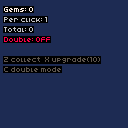
First things first — put all mutable game state into a single plain object. No state scattered across loose variables. This makes serialization trivial: JSON.stringify the whole thing and you get everything at once. Our gem collector tracks gems, per-click rate, total collected, and a double mode toggle. Press Z to collect gems, X to spend 10 gems on an upgrade, and C to toggle double mode:
engine.scope(({ start, cls, text, btnp }) => {
    const state = {
        gems: 0,
        gemsPerClick: 1,
        totalGems: 0,
        doubleMode: false,
    };

    function update() {
        if (btnp('z')) {
            const amount = state.doubleMode
                ? state.gemsPerClick * 2
                : state.gemsPerClick;
            state.gems += amount;
            state.totalGems += amount;
        }
        if (btnp('x') && state.gems >= 10) {
            state.gems -= 10;
            state.gemsPerClick += 1;
        }
        if (btnp('c')) {
            state.doubleMode = !state.doubleMode;
        }
    }

    function draw() {
        cls(1);
        text('Gems: ' + state.gems, 4, 4, 7);
        text('Per click: ' + state.gemsPerClick, 4, 14, 6);
        text('Total: ' + state.totalGems, 4, 24, 6);
        text(
            'Double: ' + (state.doubleMode ? 'ON' : 'OFF'),
            4,
            34,
            state.doubleMode ? 11 : 8,
        );
        text('Z collect  X upgrade(10)', 4, 54, 5);
        text('C double mode', 4, 64, 5);
    }

    start({ sprites: {}, sounds: {}, init() {}, update, draw, target });
});
Saving to localStorage
localStorage is the simplest persistence API. setItem writes a string under a key, getItem reads it back. Since our state is a plain object, JSON.stringify converts it to a string and JSON.parse converts it back. We load in init() with a fallback to defaults so the game works on first launch, then save after state changes:
const SAVE_KEY = 'gem-collector-save';

function save(state) {
    localStorage.setItem(SAVE_KEY, JSON.stringify(state));
}

function load() {
    const raw = localStorage.getItem(SAVE_KEY);
    if (!raw) {
        return null;
    }
    try {
        return JSON.parse(raw);
    } catch {
        return null;
    }
}

// inside init()
const saved = load();
if (saved) {
    Object.assign(state, saved);
}

// after state changes (e.g. end of update())
save(state);
What Saves Well (and What Doesn't)
JSON.stringify handles numbers, strings, booleans, arrays, and plain objects. It silently drops functions, DOM references, and undefined. The rule of thumb: if you could write it as a JSON literal in a text editor, it saves. If not, it won't.
const good = {
    score: 42,
    name: 'Player 1',
    alive: true,
    items: ['sword', 'shield'],
    position: { x: 10, y: 20 },
};

const bad = {
    update: function () {},
    element: document.body,
    missing: undefined,
};

JSON.stringify(good);
// '{"score":42,"name":"Player 1","alive":true,...}'

JSON.stringify(bad);
// '{"element":{}}' — functions and undefined vanish
Keep your state object flat and data-only. Store IDs or type strings instead of object references — for example weaponId: 'sword' rather than weapon: swordObject.
Validating Loaded Data
Never trust loaded data. Old game versions, hand-edited saves, or corruption can produce values your code doesn't expect. A validate() function type-checks every field, clamps numbers to safe ranges, and fills missing fields with defaults. A version field lets you migrate old save formats down the road — when the loaded version is less than the current version, you can run upgrade logic before applying the data:
function clamp(value, min, max) {
    return Math.max(min, Math.min(max, value));
}

function validate(data) {
    return {
        version: 1,
        gems: clamp(Number(data.gems) || 0, 0, 999999),
        gemsPerClick: clamp(Number(data.gemsPerClick) || 1, 1, 100),
        totalGems: clamp(Number(data.totalGems) || 0, 0, 999999),
        doubleMode: data.doubleMode === true,
    };
}

// inside init()
const saved = load();
if (saved) {
    Object.assign(state, validate(saved));
}
Throttling Saves
Saving every frame wastes CPU on JSON serialization. Instead, we track whether state changed with a dirty flag and only write when dirty AND at least one second has passed. Frequent enough saves, none of the performance cost:
let dirty = false;
let lastSave = 0;
const SAVE_INTERVAL = 1000;

function markDirty() {
    dirty = true;
}

function throttledSave(state) {
    if (!dirty) {
        return;
    }
    const now = Date.now();
    if (now - lastSave < SAVE_INTERVAL) {
        return;
    }
    save(state);
    dirty = false;
    lastSave = now;
}

// inside update(), after state changes
markDirty();
throttledSave(state);
Saving to Cookies
Cookies work where localStorage doesn't — some browsers clear localStorage but keep cookies, and cookies travel with HTTP requests if you need server awareness. The tradeoff: a ~4KB size limit versus localStorage's ~5MB. We URI-encode the JSON string and set an expiry date so the cookie doesn't vanish when the browser closes:
const COOKIE_NAME = 'gem-collector-save';
const COOKIE_DAYS = 30;

function saveToCookie(state) {
    const json = JSON.stringify(state);
    if (json.length > 4000) {
        console.warn('Save too large for cookie');
        return;
    }
    const expires = new Date();
    expires.setDate(expires.getDate() + COOKIE_DAYS);
    document.cookie =
        COOKIE_NAME +
        '=' +
        encodeURIComponent(json) +
        ';expires=' +
        expires.toUTCString() +
        ';path=/';
}

function loadFromCookie() {
    const prefix = COOKIE_NAME + '=';
    const match = document.cookie
        .split('; ')
        .find((c) => c.startsWith(prefix));
    if (!match) {
        return null;
    }
    try {
        return JSON.parse(decodeURIComponent(match.slice(prefix.length)));
    } catch {
        return null;
    }
}
Exporting a Save String
Let players share or back up saves by encoding state as a Base64 string. btoa(JSON.stringify(state)) produces a copy-pasteable string. atob and JSON.parse reverse it. Always run the result through validate() before applying — you can't trust imported strings any more than stored saves:
function exportSave(state) {
    return btoa(JSON.stringify(state));
}

function importSave(string) {
    try {
        const data = JSON.parse(atob(string));
        return validate(data);
    } catch {
        return null;
    }
}

// for testing in the browser console
window.exportSave = () => exportSave(state);
window.importSave = (s) => {
    const data = importSave(s);
    if (data) {
        Object.assign(state, data);
    }
};
btoa is encoding, not encryption. Anyone can decode a save string with atob. If that matters for your game, treat save data as public.
Putting It All Together
Here's the complete gem collector with everything combined: state object, throttled localStorage saving, validated loading, and export/import functions exposed on window for console testing. Press Z to collect, X to upgrade, C to toggle double mode. Refresh the page — your progress persists:
engine.scope(({ start, cls, text, btnp }) => {
    const SAVE_KEY = 'gem-collector-save';
    const SAVE_INTERVAL = 1000;
    let dirty = false;
    let lastSave = 0;

    const defaults = {
        version: 1,
        gems: 0,
        gemsPerClick: 1,
        totalGems: 0,
        doubleMode: false,
    };
    const state = { ...defaults };

    function clamp(value, min, max) {
        return Math.max(min, Math.min(max, value));
    }

    function validate(data) {
        return {
            version: 1,
            gems: clamp(Number(data.gems) || 0, 0, 999999),
            gemsPerClick: clamp(Number(data.gemsPerClick) || 1, 1, 100),
            totalGems: clamp(Number(data.totalGems) || 0, 0, 999999),
            doubleMode: data.doubleMode === true,
        };
    }

    function save() {
        localStorage.setItem(SAVE_KEY, JSON.stringify(state));
    }

    function load() {
        try {
            const data = JSON.parse(localStorage.getItem(SAVE_KEY));
            if (data) {
                Object.assign(state, validate(data));
            }
        } catch {}
    }

    function exportSave() {
        return btoa(JSON.stringify(state));
    }

    function importSave(string) {
        try {
            Object.assign(state, validate(JSON.parse(atob(string))));
            dirty = true;
        } catch {}
    }

    function init() {
        load();
        window.exportSave = exportSave;
        window.importSave = importSave;
    }

    function update() {
        if (btnp('z')) {
            const amount = state.doubleMode
                ? state.gemsPerClick * 2
                : state.gemsPerClick;
            state.gems += amount;
            state.totalGems += amount;
            dirty = true;
        }
        if (btnp('x') && state.gems >= 10) {
            state.gems -= 10;
            state.gemsPerClick += 1;
            dirty = true;
        }
        if (btnp('c')) {
            state.doubleMode = !state.doubleMode;
            dirty = true;
        }
        if (dirty && Date.now() - lastSave >= SAVE_INTERVAL) {
            save();
            dirty = false;
            lastSave = Date.now();
        }
    }

    function draw() {
        cls(1);
        text('Gems: ' + state.gems, 4, 4, 7);
        text('Per click: ' + state.gemsPerClick, 4, 14, 6);
        text('Total: ' + state.totalGems, 4, 24, 6);
        text(
            'Double: ' + (state.doubleMode ? 'ON' : 'OFF'),
            4,
            34,
            state.doubleMode ? 11 : 8,
        );
        text('Z collect  X upgrade(10)', 4, 54, 5);
        text('C double mode', 4, 64, 5);
    }

    start({ sprites: {}, sounds: {}, init, update, draw, target });
});
Going Further
- Multiple save slots — use a different localStorage key per slot (e.g.,
save-slot-1,save-slot-2), and let the player choose - Auto-save indicator — show a small icon or text flash when the throttled save fires, so the player knows their progress is safe
- Cloud sync — POST the save JSON to a server with
fetch()and GET it back on another device - Save migration — when
state.versionis less than the current version, run upgrade functions in sequence (v1→v2,v2→v3, etc.) - Compression — for large saves, use
CompressionStreamor a library like lz-string to shrink the data before storing