How to Build a Scene Manager
Most games have more than one screen. A title screen, a level select, a game over screen — and the actual game. The state machines tutorial covers the basics with mode strings and if/else dispatchers, but that approach falls apart once you have more than three or four screens. Data doesn't flow cleanly between them, and adding a new screen means touching every dispatcher.
We're going to build something better: scenes as self-contained objects with their own lifecycle methods. We'll make a small collect-the-gems game, then layer on a level select screen, progress tracking across levels, and visual transitions between scenes. By the end you'll have a pattern that scales to any number of screens.
A Simple Scene Registry
The idea is straightforward. Each scene is an object with init, update, and draw methods. We keep them in a map keyed by name, and a switchTo function sets the current scene and calls its init:
let scenes = {};
let current = null;

function switchTo(name, data) {
    current = name;
    if (scenes[name].init) scenes[name].init(data || {});
}
The top-level update and draw delegate to whatever scene is active:
function update() {
    if (scenes[current] && scenes[current].update) scenes[current].update();
}

function draw(time, frame) {
    if (scenes[current] && scenes[current].draw) scenes[current].draw(time, frame);
}
That's the entire scene manager. Everything else is just writing the scenes themselves.
We need a level to play. Each level is an 8-element string array — W for wall, G for gem, . for floor, @ for the player start. A parseLevel helper pulls out the stuff we need:
let level0 = [
    'WWWWWWWW',
    'W......W',
    'W.G..G.W',
    'W......W',
    '[email protected]',
    'W.G..G.W',
    'W......W',
    'WWWWWWWW',
];

function parseLevel(data) {
    let walls = [];
    let gems = [];
    let startX = 0;
    let startY = 0;
    for (let y = 0; y < data.length; y++) {
        for (let x = 0; x < data[y].length; x++) {
            let ch = data[y][x];
            if (ch === 'W') walls.push({ x: x, y: y });
            if (ch === 'G') gems.push({ x: x, y: y });
            if (ch === '@') { startX = x; startY = y; }
        }
    }
    return { walls: walls, gems: gems, startX: startX, startY: startY };
}
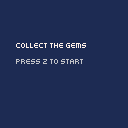
Now let's write the three scenes. The title screen waits for Z and switches to the game. The game scene parses the level on init, handles movement and gem collection, and switches to gameover when all gems are gone. The gameover screen waits for Z and loops back to the title:
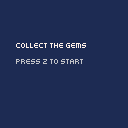
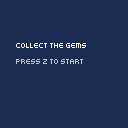
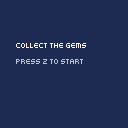
scenes.title = {
    update: function () {
        if (btnp('z')) switchTo('game');
    },
    draw: function () {
        cls(1);
        text('COLLECT THE GEMS', 16, 40, 7);
        text('PRESS Z TO START', 16, 56, 6);
    },
};

scenes.game = {
    init: function () {
        let parsed = parseLevel(level0);
        walls = parsed.walls;
        gems = parsed.gems;
        playerX = parsed.startX;
        playerY = parsed.startY;
    },
    update: function () {
        let nx = playerX;
        let ny = playerY;
        if (btnp('ArrowLeft')) nx--;
        if (btnp('ArrowRight')) nx++;
        if (btnp('ArrowUp')) ny--;
        if (btnp('ArrowDown')) ny++;

        if (nx === playerX && ny === playerY) return;

        for (let w of walls) {
            if (w.x === nx && w.y === ny) return;
        }

        playerX = nx;
        playerY = ny;

        gems = gems.filter(function (g) {
            return !(g.x === playerX && g.y === playerY);
        });

        if (gems.length === 0) switchTo('gameover');
    },
    draw: function () {
        cls(1);

        for (let w of walls) {
            rectfill(w.x * 16, w.y * 16, w.x * 16 + 15, w.y * 16 + 15, 5);
        }

        for (let g of gems) {
            circfill(g.x * 16 + 8, g.y * 16 + 8, 4, 10);
        }

        rectfill(playerX * 16 + 2, playerY * 16 + 2, playerX * 16 + 13, playerY * 16 + 13, 12);

        caption(gems.length + ' gems left');
    },
};

scenes.gameover = {
    update: function () {
        if (btnp('z')) switchTo('title');
    },
    draw: function () {
        cls(1);
        text('LEVEL COMPLETE!', 20, 40, 11);
        text('PRESS Z', 44, 56, 6);
    },
};
Each scene is self-contained. The title doesn't know how the game works, and the game doesn't know what the gameover screen looks like. Want a new screen? Add a new object to scenes and call switchTo to get there.
Building a Level Select
One level isn't much of a game. Let's add five more and a screen to pick between them.
First, the level data. Each level uses the same string format — different wall layouts, different gem placements:
let levels = [level0, level1, level2, level3, level4, level5];The level select scene draws a 3x2 grid of boxes. A cursor variable tracks which one is highlighted, arrow keys move it around, and Z starts the selected level:
let cursor = 0;
let currentLevel = 0;

scenes.select = {
    init: function () {},
    update: function () {
        if (btnp('ArrowRight')) cursor = (cursor + 1) % 6;
        if (btnp('ArrowLeft')) cursor = (cursor + 5) % 6;
        if (btnp('ArrowDown')) cursor = (cursor + 3) % 6;
        if (btnp('ArrowUp')) cursor = (cursor + 3) % 6;
        if (btnp('z')) {
            currentLevel = cursor;
            switchTo('game', { level: cursor });
        }
    },
    draw: function () {
        cls(1);
        text('SELECT LEVEL', 24, 8, 7);

        for (let i = 0; i < 6; i++) {
            let col = i % 3;
            let row = Math.floor(i / 3);
            let bx = 8 + col * 44;
            let by = 32 + row * 48;

            rectfill(bx, by, bx + 31, by + 35, 5);
            text('' + (i + 1), bx + 12, by + 14, 7);

            if (i === cursor) {
                rect(bx - 1, by - 1, bx + 32, by + 36, 10);
            }
        }

        text('Z TO PLAY', 36, 120, 6);
    },
};
The cursor wraps using modular arithmetic — adding 5 mod 6 is the same as subtracting 1 with wrap, and adding 3 mod 6 jumps between rows (since we have 3 columns).
Here's the interesting part: data flows between scenes. When the player picks a level, switchTo('game', { level: cursor }) passes the level index along. The game scene's init reads it:
scenes.game = {
    init: function (data) {
        let idx = data.level !== undefined ? data.level : 0;
        let parsed = parseLevel(levels[idx]);
        walls = parsed.walls;
        gems = parsed.gems;
        playerX = parsed.startX;
        playerY = parsed.startY;
    },
    // ...
};
Now the title goes to 'select' instead of straight to 'game', and gameover goes back to 'select' so the player can pick another level.
Tracking Progress
Right now every level is available from the start, and there's no indication of which ones you've beaten. Let's fix both.
We'll track completion in a boolean array — one slot per level. Level 0 is always unlocked, and each subsequent level unlocks when you complete the one before it:
let completed = [false, false, false, false, false, false];

function isUnlocked(i) {
    if (i === 0) return true;
    return completed[i - 1];
}
When the player finishes a level, the game scene passes the level index to gameover, which marks it complete:
// in game scene update, when all gems collected:
if (gems.length === 0) switchTo('gameover', { level: currentLevel });

// gameover scene init:
scenes.gameover = {
    init: function (data) {
        if (data.level !== undefined) completed[data.level] = true;
    },
    // ...
};
Same switchTo(name, data) pattern as before — just carrying different information this time.
The level select now draws three visual states. Completed levels get a green background, unlocked levels stay grey, and locked levels are black with a dash instead of a number. Z only works on unlocked levels:
if (completed[i]) {
    rectfill(bx, by, bx + 31, by + 35, 3);
    text('' + (i + 1), bx + 12, by + 14, 11);
} else if (isUnlocked(i)) {
    rectfill(bx, by, bx + 31, by + 35, 5);
    text('' + (i + 1), bx + 12, by + 14, 7);
} else {
    rectfill(bx, by, bx + 31, by + 35, 0);
    text('-', bx + 14, by + 14, 5);
}
The footer changes too — "Z TO PLAY" when the cursor is on an unlocked level, "LOCKED" when it's not. And when every level is done, it shows "ALL LEVELS CLEARED!" instead.
One thing to keep in mind: the progress lives in regular variables, so it resets when the page refreshes. If you want persistence, the save and load tutorial covers storing game state across sessions. The two patterns combine naturally — save the completed array to a cookie or localStorage, load it back on init.
Adding Transitions
Jumping between scenes instantly works, but it feels abrupt. A wipe transition makes the switch feel deliberate. The approach: a black rectangle grows from left to right (wipe in), the scene switches when the screen is fully covered, then the rectangle shrinks back (wipe out).
We need a few variables to track the transition — which phase we're in (wiping in or out), how wide the black rect is, and which scene to switch to at the midpoint:
let transitioning = false;
let transPhase = 0;
let transProgress = 0;
let transTarget = null;
let transData = null;
const TRANS_SPEED = 8;

function transitionTo(name, data) {
    if (transitioning) return;
    transitioning = true;
    transPhase = 0;
    transProgress = 0;
    transTarget = name;
    transData = data || {};
}
That guard at the top of transitionTo matters. Without it, pressing Z twice quickly could start a second transition before the first finishes. btnp fires once per press, but if a scene checks it before the transition starts consuming frames, you get a double-trigger.
The top-level update handles the animation. During a transition, no scene update runs — the game freezes while the wipe plays:
function update() {
    if (transitioning) {
        if (transPhase === 0) {
            transProgress += TRANS_SPEED;
            if (transProgress >= 128) {
                transProgress = 128;
                switchTo(transTarget, transData);
                transPhase = 1;
            }
        } else {
            transProgress -= TRANS_SPEED;
            if (transProgress <= 0) {
                transProgress = 0;
                transitioning = false;
            }
        }
        return;
    }
    if (scenes[current] && scenes[current].update) scenes[current].update();
}
Drawing is simpler — the current scene draws itself, and we overlay the black rect on top:
function draw(time, frame) {
    if (scenes[current] && scenes[current].draw) scenes[current].draw(time, frame);

    if (transitioning) {
        rectfill(0, 0, transProgress - 1, 127, 0);
    }
}
The scene draws first, then the wipe covers part (or all) of it. At 8 pixels per frame on a 128-pixel canvas, the full wipe takes 32 frames — about half a second. Snappy enough to not feel slow, long enough to register as a transition.
Every call site that used switchTo directly now uses transitionTo instead. switchTo still exists under the hood — transitionTo calls it at the midpoint when the screen is fully black.
Going Further
- Pause menu — Instead of replacing the current scene, push a pause scene onto a stack. The pause screen draws on top of the game, and popping it resumes where you left off. Same
init/update/drawpattern, just with an array instead of a singlecurrentvariable. - Persistent progress — Combine this with the save and load tutorial to store the
completedarray in a cookie or localStorage. Load it back in the level select'sinitso progress survives page refreshes. - Animated transitions — The wipe here is a simple left-to-right rect. Try a diagonal wipe, an iris effect (a circle that grows or shrinks from the center), or a fade through a color. The two-phase structure works for any animation — just change what you draw during each phase.
- Scene-specific music — Call
music()in each scene'sinitto start a different track. Stop it on scene exit, or let the transition handle the crossfade.