How to Build a Bullet Heaven
Three earlier tutorials laid the groundwork for this one — object pooling for recycling entities without garbage collection, spawning and waves for throwing enemies at us in escalating bursts, and camera systems for tracking a player across a large arena. Now we're wiring them all together into a complete game: a bullet heaven, sometimes called a survivors-like.
The genre is built around one idea: you never aim or fire manually. Your weapons attack automatically, and your only job is to move. Enemies swarm from every direction, you collect XP from their remains, level up, pick upgrades, and try to survive as long as possible. It's a perfect fit for the engine because the whole game runs on three object pools and a stats object.
We'll build it in seven steps, starting with an empty arena and ending with a playable game that has multiple weapon types, enemy variety, and an upgrade system.
The Arena
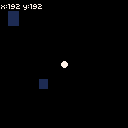
Every survivors-like needs a space larger than the screen. Ours is a 384×384 world viewed through the engine's 128×128 canvas. The player is a white circle, and the camera follows it with a smooth lerp — the same pipeline from the camera systems tutorial:
engine.scope(
    ({ start, cls, btn, circfill, rectfill, rect, caption, camera, creset, rnd }) => {
        const WORLD = 384;
        const CANVAS = 128;
        const SPEED = 1.5;
        const LERP = 0.08;

        let px = WORLD / 2;
        let py = WORLD / 2;
        let camX = px - CANVAS / 2;
        let camY = py - CANVAS / 2;

        const landmarks = [];

        function init() {
            for (let i = 0; i < 12; i++) {
                landmarks.push({
                    x: Math.floor(rnd(WORLD - 40) + 12),
                    y: Math.floor(rnd(WORLD - 40) + 12),
                    w: Math.floor(rnd(16) + 8),
                    h: Math.floor(rnd(16) + 8),
                });
            }
        }

        function update() {
            if (btn('ArrowLeft') || btn('a')) px -= SPEED;
            if (btn('ArrowRight') || btn('d')) px += SPEED;
            if (btn('ArrowUp') || btn('w')) py -= SPEED;
            if (btn('ArrowDown') || btn('s')) py += SPEED;

            px = Math.max(3, Math.min(WORLD - 3, px));
            py = Math.max(3, Math.min(WORLD - 3, py));

            const targetX = px - CANVAS / 2;
            const targetY = py - CANVAS / 2;
            camX += (targetX - camX) * LERP;
            camY += (targetY - camY) * LERP;
            camX = Math.max(0, Math.min(WORLD - CANVAS, camX));
            camY = Math.max(0, Math.min(WORLD - CANVAS, camY));
        }

        function draw() {
            cls(0);
            camera(camX, camY);

            rect(0, 0, WORLD - 1, WORLD - 1, 6);

            for (const lm of landmarks) {
                rectfill(lm.x, lm.y, lm.x + lm.w, lm.y + lm.h, 1);
            }

            circfill(px, py, 3, 7);

            creset();
            caption('x:' + Math.floor(px) + ' y:' + Math.floor(py), 1, 1, 7);
        }

        start({ sprites: {}, sounds: {}, init, update, draw, target });
    },
);
The dark blue rectangles scattered around the arena are landmarks — they give you a sense of movement when scrolling. Without them, the black background makes it hard to tell if the camera's working. The grey rect outlines the world border, and the player is clamped inside it.
After camera() shifts the drawing origin for the world, creset() resets it so the HUD draws at fixed screen positions. We're using caption() from the Caption plugin here — it draws text with a dark background so it stays readable over any scene.
Enemy Waves
An empty arena isn't much of a game. We need enemies — lots of them, spawning from off-screen and chasing the player. This is the same object pooling pattern from the earlier tutorial: pre-allocate an array of enemy objects, mark them inactive, and grab one when we need to spawn:
const ENEMY_CAP = 100;

const enemies = [];
for (let i = 0; i < ENEMY_CAP; i++) {
    enemies.push({ x: 0, y: 0, speed: 0, color: 8, active: false });
}

function acquireEnemy() {
    for (const e of enemies) {
        if (!e.active) {
            e.active = true;
            return e;
        }
    }
    return null;
}
Spawning uses the same edge-spawning technique from spawning and waves. Pick a random side of the viewport, place the enemy just off-screen on that edge, and let it walk toward the player. Each wave has a budget — wave 1 spawns 6 enemies, wave 2 spawns 8, and so on. Between waves there's a short pause so the player gets a moment to breathe:
let wave = 0;
let spawnBudget = 0;
let spawnTimer = 0;
let betweenWaves = true;
let betweenTimer = 0;
const WAVE_PAUSE = 120;
const SPAWN_INTERVAL = 15;
const WAVE_COLORS = [8, 2, 9, 14, 15, 4];

function startWave() {
    wave++;
    spawnBudget = 4 + wave * 2;
    spawnTimer = 0;
    betweenWaves = false;
}

function spawnEnemy() {
    const e = acquireEnemy();
    if (!e) return;

    const side = Math.floor(rnd(4));
    if (side === 0) { e.x = camX - 8; e.y = rnd(WORLD); }
    else if (side === 1) { e.x = camX + CANVAS + 8; e.y = rnd(WORLD); }
    else if (side === 2) { e.x = rnd(WORLD); e.y = camY - 8; }
    else { e.x = rnd(WORLD); e.y = camY + CANVAS + 8; }

    e.speed = 0.4 + wave * 0.05;
    e.color = WAVE_COLORS[(wave - 1) % WAVE_COLORS.length];
}
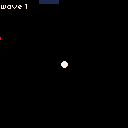
Enemy movement is straightforward — each frame, walk toward the player. The WAVE_COLORS array cycles through palette colors so you can tell when a new wave starts — red enemies replace the dark red ones, then orange replaces red, and so on:
for (const e of enemies) {
    if (!e.active) continue;
    const dx = px - e.x;
    const dy = py - e.y;
    const dist = Math.sqrt(dx * dx + dy * dy);
    if (dist > 0) {
        e.x += (dx / dist) * e.speed;
        e.y += (dy / dist) * e.speed;
    }
}
The wave system ticks in update(). During the pause between waves, a timer counts up. Once it hits WAVE_PAUSE, the next wave starts. During a wave, enemies spawn one at a time on a SPAWN_INTERVAL cooldown until the budget runs out. Once all enemies from the wave are dead, the pause begins again.
Auto-Fire
The defining mechanic of a bullet heaven: the player never presses a fire button. Weapons shoot automatically, and your only input is movement. To make this work we need a second object pool — this time for projectiles — and a targeting function that finds the nearest enemy:
const PROJ_CAP = 150;
const FIRE_COOLDOWN = 20;
const PROJ_SPEED = 3;
const PROJ_DAMAGE = 1;

const projectiles = [];
for (let i = 0; i < PROJ_CAP; i++) {
    projectiles.push({ x: 0, y: 0, dx: 0, dy: 0, active: false });
}

function acquireProjectile() {
    for (const p of projectiles) {
        if (!p.active) { p.active = true; return p; }
    }
    return null;
}
Every FIRE_COOLDOWN frames, we scan the enemy pool for the closest active enemy and fire a projectile toward it. The projectile stores its velocity as dx/dy so it flies in a straight line at PROJ_SPEED:
function findNearest() {
    let best = null;
    let bestDist = Infinity;
    for (const e of enemies) {
        if (!e.active) continue;
        const dx = e.x - px;
        const dy = e.y - py;
        const d = dx * dx + dy * dy;
        if (d < bestDist) { bestDist = d; best = e; }
    }
    return best;
}

function fireAt(target) {
    const p = acquireProjectile();
    if (!p) return;
    p.x = px;
    p.y = py;
    const dx = target.x - px;
    const dy = target.y - py;
    const dist = Math.sqrt(dx * dx + dy * dy);
    p.dx = (dx / dist) * PROJ_SPEED;
    p.dy = (dy / dist) * PROJ_SPEED;
}
Notice that findNearest compares squared distances to avoid sqrt — we only need the relative order, not the actual distance. fireAt does need sqrt once to normalize the direction vector.
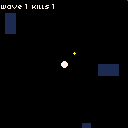
Collision detection checks every active projectile against every active enemy. We're using squared distance again: if the projectile is within 4 pixels of an enemy center (distance² < 16), it's a hit. On contact, the projectile deactivates, the enemy loses HP, and if HP reaches zero the enemy dies:
for (const p of projectiles) {
    if (!p.active) continue;
    for (const e of enemies) {
        if (!e.active) continue;
        const dx = p.x - e.x;
        const dy = p.y - e.y;
        if (dx * dx + dy * dy < 16) {
            p.active = false;
            e.hp -= PROJ_DAMAGE;
            if (e.hp <= 0) {
                e.active = false;
                kills++;
            }
            break;
        }
    }
}
Enemies now have an hp field that scales with waves — 1 + Math.floor(wave / 3) — so later waves take more hits to kill. The break after a hit matters: each projectile can only hit one enemy per frame.
Staying Alive
Right now enemies walk through the player without consequence. We need contact damage, a health bar, knockback, screen shake, and a death state. The camera systems tutorial covered screen shake — here we're applying the same technique on hit.
When an enemy overlaps the player (squared distance < CONTACT_RANGE), three things happen: HP drops by 1, the player gets knocked back away from the enemy, and the camera starts shaking. An invincibility frame counter (iFrames) prevents taking multiple hits from the same crowd in the same instant:
const MAX_HP = 5;
const IFRAMES = 60;
const KNOCKBACK = 8;
const SHAKE_DECAY = 0.85;
const SHAKE_STRENGTH = 4;
const CONTACT_RANGE = 36;

let hp = MAX_HP;
let iFrames = 0;
let shakeAmount = 0;
let state = 'playing';
The contact damage check runs every frame, but only when iFrames is zero. On hit, we push the player in the opposite direction of the enemy, clamp back inside the arena, and start a 60-frame cooldown:
if (iFrames <= 0) {
    for (const e of enemies) {
        if (!e.active) continue;
        const dx = px - e.x;
        const dy = py - e.y;
        if (dx * dx + dy * dy < CONTACT_RANGE) {
            hp--;
            iFrames = IFRAMES;
            shakeAmount = SHAKE_STRENGTH;
            const dist = Math.sqrt(dx * dx + dy * dy);
            if (dist > 0) {
                px += (dx / dist) * KNOCKBACK;
                py += (dy / dist) * KNOCKBACK;
                px = Math.max(3, Math.min(WORLD - 3, px));
                py = Math.max(3, Math.min(WORLD - 3, py));
            }
            if (hp <= 0) state = 'dead';
            break;
        }
    }
}
Screen shake adds a random offset to the camera each frame, decaying over time. The player blinks during invincibility — we skip drawing on alternating frames with frame % 4 < 2:
let sx = 0, sy = 0;
if (shakeAmount > 0.5) {
    sx = (rnd(2) - 1) * shakeAmount;
    sy = (rnd(2) - 1) * shakeAmount;
}
camera(camX + sx, camY + sy);
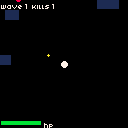
The HP bar is two overlapping rectfill calls at the bottom of the screen: a dark background and a colored fill that shrinks as HP drops. The fill color shifts with health — green above 60%, yellow above 30%, red below that:
rectfill(1, CANVAS - 7, 41, CANVAS - 3, 5);
const fillW = Math.floor((hp / MAX_HP) * 40);
const hpRatio = hp / MAX_HP;
const hpColor = hpRatio > 0.6 ? 11 : hpRatio > 0.3 ? 10 : 8;
if (fillW > 0) rectfill(1, CANVAS - 7, 1 + fillW, CANVAS - 3, hpColor);
caption('hp', 44, CANVAS - 8, 7);
When HP hits zero, the game state switches to 'dead' and update() stops processing. A simple overlay shows the final score.
XP and Leveling Up
Killing enemies should feel rewarding. In the survivors genre, every enemy drops an XP gem, and collecting enough gems levels you up. We need a third object pool for the gems, a magnetic pickup system, and an XP bar:
const GEM_CAP = 100;
const MAGNET_RANGE = 20;
const COLLECT_RANGE = 6;
const XP_PER_LEVEL = 5;

let xp = 0;
let level = 1;
let xpNeeded = XP_PER_LEVEL;

const gems = [];
for (let i = 0; i < GEM_CAP; i++) {
    gems.push({ x: 0, y: 0, active: false });
}

function acquireGem() {
    for (const g of gems) {
        if (!g.active) { g.active = true; return g; }
    }
    return null;
}
When an enemy dies, we spawn a gem near its position with a small random offset so gems from the same kill don't stack perfectly:
function killEnemy(e) {
    e.active = false;
    kills++;
    const g = acquireGem();
    if (g) {
        g.x = e.x + rnd(6) - 3;
        g.y = e.y + rnd(6) - 3;
    }
}
Gem collection uses two distance checks. If the player is within COLLECT_RANGE, the gem is collected instantly. If the player is farther but within MAGNET_RANGE, the gem drifts toward them at a fixed speed. This two-phase approach gives gems a satisfying pull effect — they start sliding and then snap in when close enough:
for (const g of gems) {
    if (!g.active) continue;
    const dx = px - g.x;
    const dy = py - g.y;
    const distSq = dx * dx + dy * dy;
    if (distSq < COLLECT_RANGE * COLLECT_RANGE) {
        g.active = false;
        xp++;
        if (xp >= xpNeeded) {
            xp = 0;
            level++;
            xpNeeded = XP_PER_LEVEL + level * 2;
        }
    } else if (distSq < MAGNET_RANGE * MAGNET_RANGE) {
        const dist = Math.sqrt(distSq);
        g.x += (dx / dist) * 1.5;
        g.y += (dy / dist) * 1.5;
    }
}
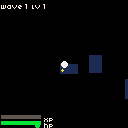
The XP bar works the same way as the HP bar — a rectfill background with a green fill that grows as XP accumulates. The threshold for leveling up increases each level (XP_PER_LEVEL + level * 2), so later levels take more kills to reach.
Upgrade Choices
Leveling up without a reward is pointless. When the XP bar fills, the game should pause, present three random upgrades, and let the player pick one. This is where the flat stats object pays off — each upgrade is a function that mutates a number:
const stats = {
    speed: 1.5,
    fireRate: 20,
    damage: 1,
    bulletCount: 1,
    magnetRange: MAGNET_RANGE,
};

const UPGRADES = [
    { name: 'fire rate', apply: () => { stats.fireRate = Math.max(5, stats.fireRate - 3); } },
    { name: 'damage', apply: () => { stats.damage++; } },
    { name: 'multi-shot', apply: () => { stats.bulletCount++; } },
    { name: 'move speed', apply: () => { stats.speed += 0.3; } },
    { name: 'magnet range', apply: () => { stats.magnetRange += 10; } },
];
When the player levels up, we shuffle the upgrades array and pick the first three. The game state switches to 'levelup', which freezes all game logic — update() returns early after processing only menu input:
function levelUp() {
    level++;
    xp = 0;
    xpNeeded = XP_PER_LEVEL + level * 2;
    state = 'levelup';
    menuCursor = 0;

    const shuffled = [...UPGRADES].sort(() => rnd(1) - 0.5);
    menuChoices = shuffled.slice(0, 3);
}
Menu navigation uses btnp() instead of btn() — it fires once per press instead of every frame, so the cursor doesn't fly through options. Up/Down moves the cursor, Z or Space confirms:
if (state === 'levelup') {
    if (btnp('ArrowUp') || btnp('w')) {
        menuCursor = (menuCursor - 1 + menuChoices.length) % menuChoices.length;
    }
    if (btnp('ArrowDown') || btnp('s')) {
        menuCursor = (menuCursor + 1) % menuChoices.length;
    }
    if (btnp('z') || btnp(' ')) {
        menuChoices[menuCursor].apply();
        state = 'playing';
    }
    return;
}
The multi-shot upgrade changes how fireAt works. Instead of firing a single projectile, it fans out bulletCount projectiles across an arc centered on the aim direction. Each one is offset by 15 degrees:
function fireAt(t) {
    const dx = t.x - px;
    const dy = t.y - py;
    const baseAngle = Math.atan2(dy, dx);
    const spread = 15 * (Math.PI / 180);
    const count = stats.bulletCount;
    const startAngle = baseAngle - spread * (count - 1) / 2;

    for (let i = 0; i < count; i++) {
        const p = acquireProjectile();
        if (!p) return;
        p.x = px;
        p.y = py;
        const angle = startAngle + spread * i;
        p.dx = Math.cos(angle) * PROJ_SPEED;
        p.dy = Math.sin(angle) * PROJ_SPEED;
    }
}
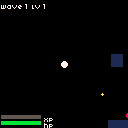
All the other stats — speed, fireRate, damage, magnetRange — are already wired into the game logic through the stats object. Picking "fire rate" makes the cooldown shorter, picking "damage" makes each hit remove more HP, and so on. No special handling needed.
The Complete Game
The previous sections built each system in isolation. Now we wire them together and add a few things that make the game feel finished: enemy variety, shield orbs, floating damage numbers, wave announcements, and a restart loop.
Enemy Types
A single enemy type gets repetitive fast. The complete version rolls a random type for each spawn based on the current wave. Normal enemies behave exactly as before. Fast enemies show up from wave 3 — they're smaller, orange, and move roughly twice as fast, but die in one hit. Tanky enemies show up from wave 5 — they're larger, dark grey, move slowly, and take several hits to kill. Tanky enemies also get a small HP bar above their head so the player can see how much health they have left:
function spawnEnemy() {
    const e = acquireEnemy();
    if (!e) return;

    // ... edge spawning as before ...

    const roll = rnd(1);
    if (wave >= 5 && roll < 0.15) {
        e.type = 'tanky';
        e.speed = 0.25 + wave * 0.02;
        e.color = 5;
        e.hp = 3 + Math.floor(wave / 2);
        e.maxHp = e.hp;
    } else if (wave >= 3 && roll < 0.4) {
        e.type = 'fast';
        e.speed = 0.8 + wave * 0.08;
        e.color = 9;
        e.hp = 1;
        e.maxHp = 1;
    } else {
        e.type = 'normal';
        e.speed = 0.4 + wave * 0.05;
        e.color = 8;
        e.hp = 1 + Math.floor(wave / 3);
        e.maxHp = e.hp;
    }
}
Drawing varies by type too. Tanky enemies get a radius of 4, fast enemies get 2, and normal enemies stay at 3. The tanky HP bar is two tiny rectfill calls — a dark background and a red fill proportional to remaining health.
Shield Orbs
The upgrade list gains a sixth option: shield orbs. Each orb circles the player at a fixed radius and damages any enemy it touches. The orbit angle increments every frame, and the orbs space themselves evenly around the circle with (Math.PI * 2 / count) * i:
const SHIELD_RADIUS = 16;
const SHIELD_DAMAGE = 2;
const SHIELD_HIT_RANGE = 25;

// in update:
if (stats.shieldCount > 0) {
    shieldAngle += 0.05;
    for (let i = 0; i < stats.shieldCount; i++) {
        const angle = shieldAngle + (Math.PI * 2 / stats.shieldCount) * i;
        const sx = px + Math.cos(angle) * SHIELD_RADIUS;
        const sy = py + Math.sin(angle) * SHIELD_RADIUS;
        for (const e of enemies) {
            if (!e.active) continue;
            const dx = sx - e.x;
            const dy = sy - e.y;
            if (dx * dx + dy * dy < SHIELD_HIT_RANGE) {
                damageEnemy(e, SHIELD_DAMAGE);
            }
        }
    }
}
Shield orbs are drawn as light blue circles. Picking the upgrade multiple times adds more orbs that automatically redistribute around the ring.
Damage Numbers
When an enemy takes damage, a small floating number rises from the hit and fades out. Each damage event pushes a { x, y, amount, life } object into a dmgNumbers array. Every frame, each number drifts upward and loses one life. When life hits zero, it gets spliced out:
const DMG_FLOAT_LIFE = 30;
const dmgNumbers = [];

function spawnDmgNumber(x, y, amount) {
    dmgNumbers.push({ x, y, amount, life: DMG_FLOAT_LIFE });
}

function damageEnemy(e, amount) {
    e.hp -= amount;
    spawnDmgNumber(e.x, e.y - 6, amount);
    if (e.hp <= 0) killEnemy(e);
}
This replaces the earlier inline damage logic. Now every source of damage — projectiles, shield orbs — calls damageEnemy(), and the floating number shows up automatically.
Wave Announcements
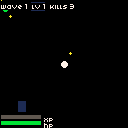
Each new wave briefly flashes its name across the center of the screen using caption(). A waveAnnounceTimer counts down from 90 frames (about 1.5 seconds) and the text disappears when it reaches zero.
Restart
The resetGame() function resets every piece of state — player position, camera, kills, HP, XP, level, stats, wave counters — and deactivates all entities in every pool. When the player dies, a four-line death screen shows wave reached, kills, level, and a restart prompt. Pressing Z or Space calls resetGame() and the loop begins again:
if (state === 'dead') {
    if (btnp('z') || btnp(' ')) resetGame();
    return;
}
The death screen uses text() instead of caption() so it layers cleanly over the dark overlay box.
Going Further
We've got a working bullet heaven in under 400 lines. The architecture — three object pools, a flat stats object, and a state machine for menus — scales cleanly if you want to keep building.
Some ideas to try:
- Boss waves. Every 5th wave, spawn a single enemy with a large HP pool and a bigger sprite. Give it a screen-wide health bar and skip the normal spawn logic for that wave.
- More weapon types. Add a lightning upgrade that chains between nearby enemies, or a ground AoE that damages everything in a radius. Each weapon is another stat, another section in
update(), and another draw call. - Passive items. Not every pickup needs to be an upgrade menu choice. Spawn rare items in the world — a heart that restores HP, a magnet that pulls all gems instantly, a clock that freezes enemies for a few seconds.
- A timer. Most survivors-likes have a hard time limit — survive 15 or 20 minutes and you win. Add a frame counter, display minutes and seconds in the HUD, and trigger a victory state when time runs out.
- Persistent progression. Store the highest wave reached in a cookie or
localStorageand display it on the death screen. Use the patterns from the Distributing Your Games tutorial for save data.